Text alignment options are located at below location in Excel 2013:
"HOME" tab>>>"Alignment" area

"HOME" tab>>>"Alignment" area
Both vertical and horizontal alignment options are available in the area:
Vertical Alignment: Top, Middle, Bottom
Horizontal Alignment: Left, Center, Right
Horizontal Alignment: Left, Center, Right
On pressing "Alt" key, the shortcut key for tabs on the ribbon gets activated
"Alt+H" will activate the "Home" tab in the ribbon and shortcut letters of this tab will get activated.

Thus, the letters mentioned below along with "Alt+H" will be shortcut keys for respective text alignment:
 Vertical Alignment shortcuts:
AT-Align Top
AM-Align Middle
AB-Align Bottom
Also read: How to Trace Precedents and Dependents in Excel
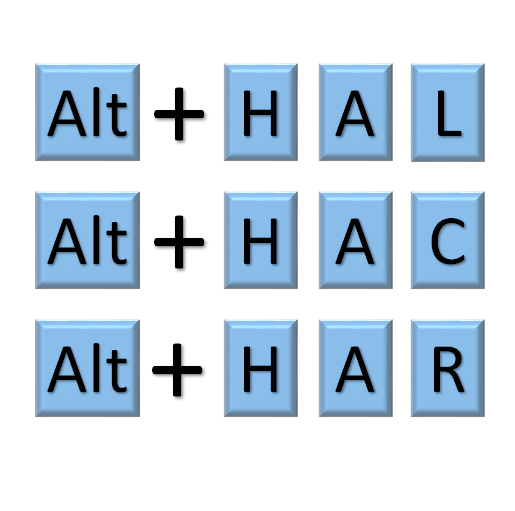
Horizontal Alignment shortcuts:
AL-Align Left
AC-Align Center
AR-Align Right
Also read: How to Freeze Panes in Excel 2013
Once the alignment options are applied, the active alignment of the active cell can be seen in the alignment area as below:

More interesting articles on this website:


